
NMS Tracker icon

Desktop appFreeWindows 10/11 (64-bit)Version 1.0.0

NMS Tracker: a free No Man's Sky companion for crafting materials and ship repairs

Know exactly what you still need to gather in No Man's Sky, and which ships are ready to fly.

NMS Tracker is a free Windows desktop companion app for No Man's Sky. Tell it what you want to build and which ship components are broken, and it totals every material you still need, minus what you already own.

It can read your save file to fill in your inventory and find every damaged slot on your ships. The save is opened read-only and is never modified, and your data is saved locally.

Free · Windows 10/11 (64-bit) · v1.0.0

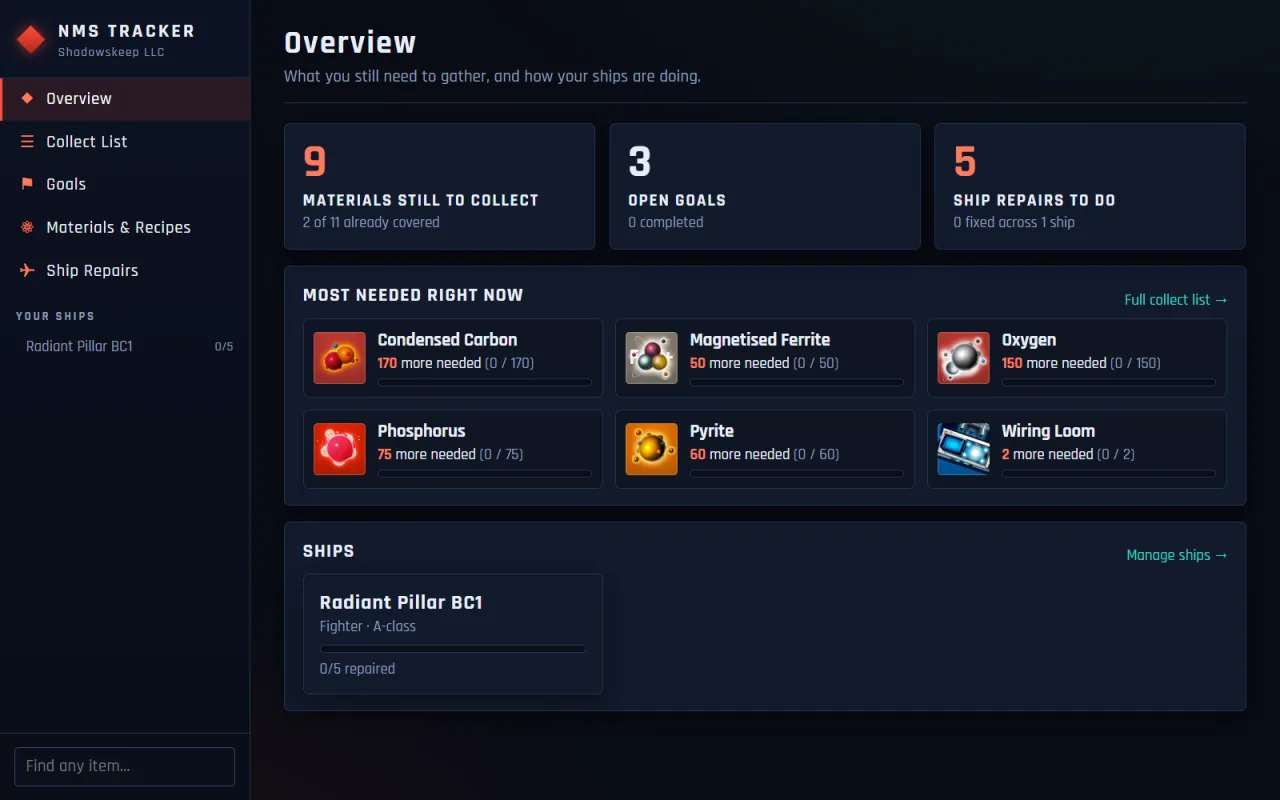
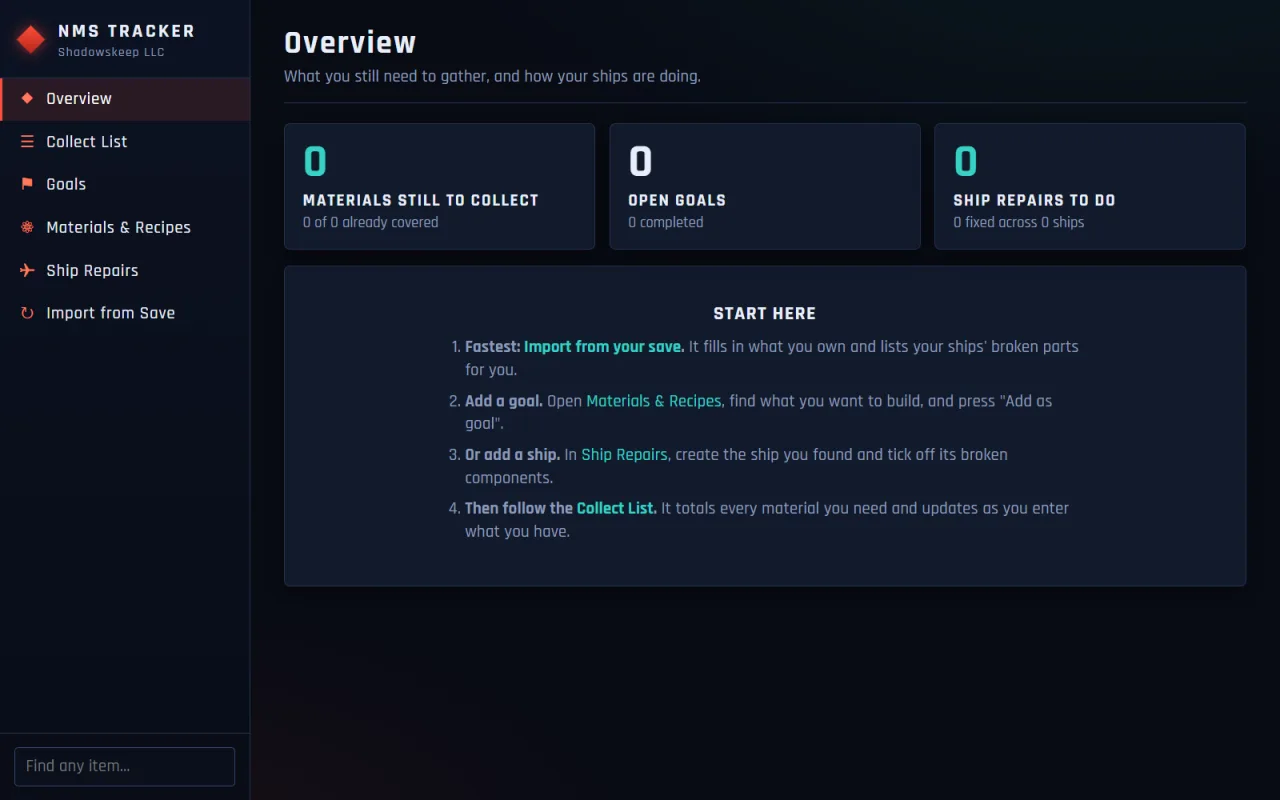
NMS Tracker overview screen showing materials still to collect, open goals, ship repairs to do and the most needed materials right now

[ features ]

What NMS Tracker does

Collect List

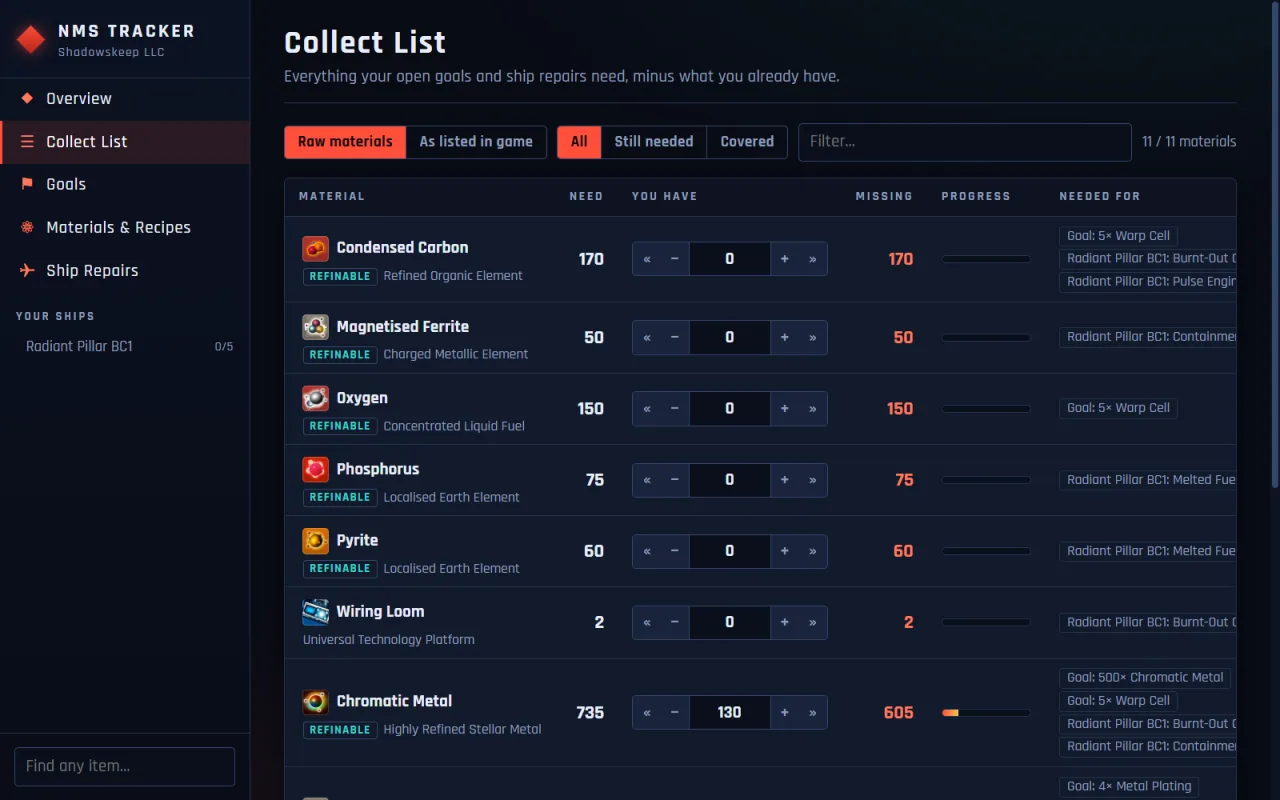
Totals every material your goals and ship repairs need, minus what you already own. Switch between "Raw materials" and "As listed in game". Crafted parts you already own are counted first.

Materials & Recipes

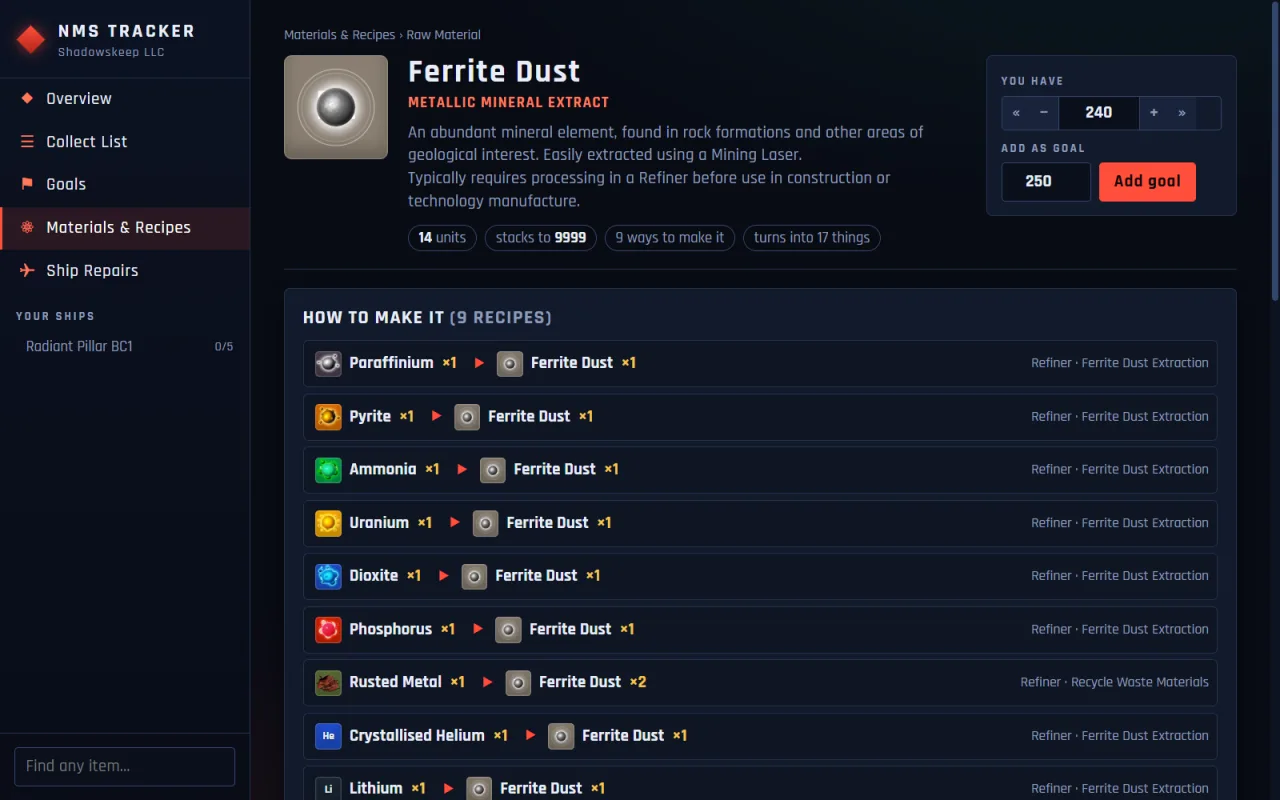
Browse 2,300+ items and 1,600+ refiner and cooking recipes. For any item, see how to make it, what it turns into, what it crafts and what it repairs.

Goals

Pick anything to build or stockpile. When you have made it, "Built it" removes the ingredients from your inventory.

Ship Repairs

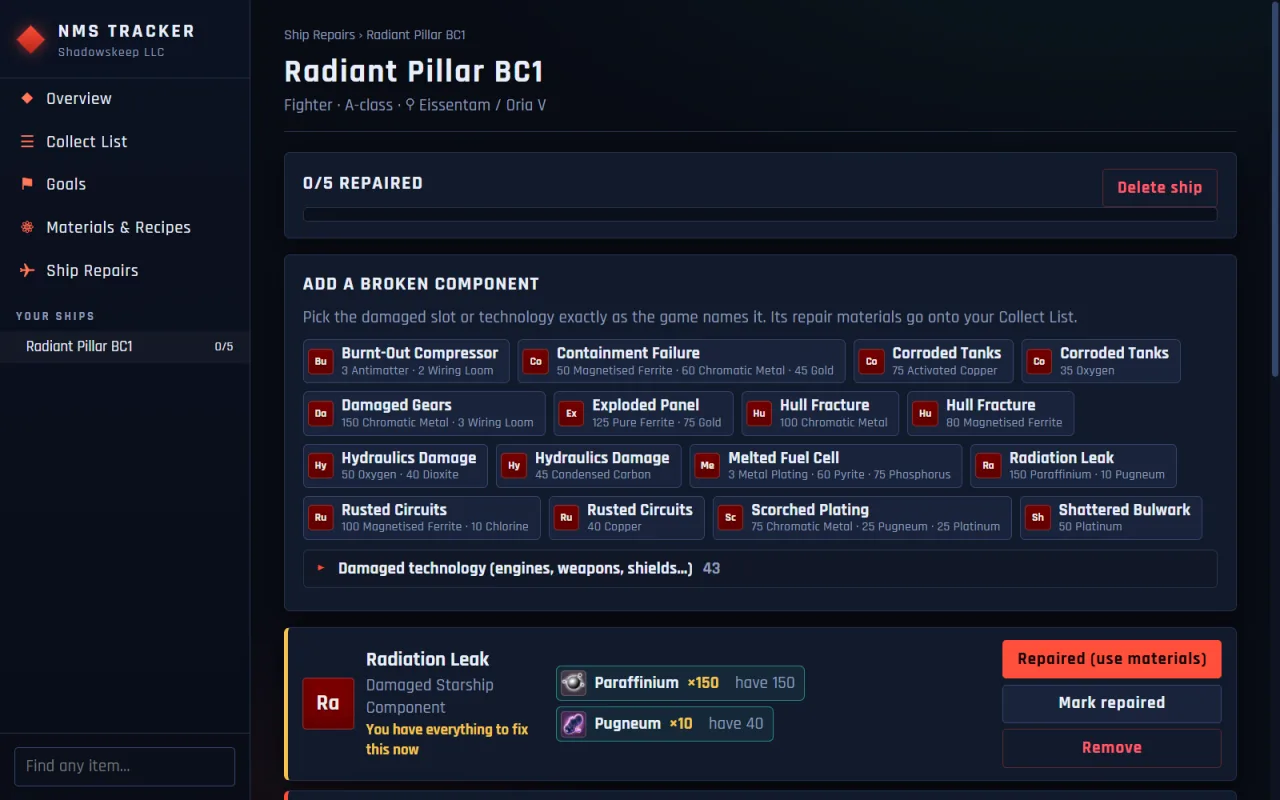
Add a ship, click its broken components and tick repairs off as you go. It covers all 16 damaged starship components plus engines, weapons and shields, and tells you when you hold everything for a repair and when a ship is flight ready.

Import from Save

Reads your No Man's Sky save file (Steam or GOG on Windows) to fill in your inventory and list every damaged slot on your ships. Re-sync after playing and repairs you did in game are ticked off automatically.

Your save is never modified

The save file is opened read-only and never modified, and the running game is never touched.

[ screenshots ]

NMS Tracker screenshots

[ install ]

How to install NMS Tracker

  1. Download NMSTracker-Setup.exe with the "Download for Windows" button.
  2. Run the installer. If Windows SmartScreen says "Windows protected your PC", click "More info" and then "Run anyway".
  3. Open NMS Tracker, add your goals and ships, or use Import from Save to fill in your inventory and damaged ship slots.

Prefer not to install anything? Download the portable zip instead. It needs no install.

[ faq ]

NMS Tracker FAQ

I found a crashed ship. How do I know what it needs?

Add the ship and click its broken components, or use Import from Save and the app lists every damaged slot for you. It shows the repair materials for each of the 16 damaged starship components and totals them on the Collect List, minus what you already carry.

Can I use it as a No Man's Sky crafting calculator and refiner recipe list?

Yes. Add what you want to build as a goal and the Collect List works out the raw materials, counting crafted parts you already own first. Materials & Recipes has 1,600+ refiner and cooking recipes, so you can look up what any material refines into and every way to make it.

Is NMS Tracker free?

Yes. NMS Tracker is free to download and use. If it saves you time, you can support development on Buy Me a Coffee.

Does NMS Tracker modify my No Man's Sky save?

No. The save file is opened read-only and is never modified, and the running game is never touched.

Which versions of the game does Import from Save support?

Import from Save reads No Man's Sky save files from the Steam and GOG versions on Windows.

Do I have to import my save to use it?

No. You can pick goals, add ships and click their broken components yourself. Import from Save is there to fill in your inventory and list every damaged slot on your ships for you, and to tick off repairs you have done in game when you re-sync.

Where is my data saved?

Your data is saved locally on your PC.

Why does Windows show a "Windows protected your PC" warning?

The installer is signed with a self-signed certificate, so Windows SmartScreen may show "Windows protected your PC" the first time you run it. Click "More info" and then "Run anyway" to continue. If you would rather not install anything, use the portable zip, which needs no install.

How do I update to a new version?

New versions are published on the GitHub releases page. The download buttons on this page always point to the latest release. The current version is 1.0.0.

Support NMS Tracker development

If these tools save you time, you can support development with a coffee. It is completely optional.

Buy me a coffee

Credits & disclaimer

Game data comes from the open-source Assistant for No Man's Sky project.

NMS Tracker is an unofficial fan-made tool. It is not affiliated with or endorsed by Hello Games. No Man's Sky is a trademark of Hello Games Ltd.

Made by Nick Loubser under the ShadowsKeep name.

[ more ]

More from ShadowsKeep

Horror Quest icon

Horror Quest

Discord ActivityFree

A murder most foul awaits — can you and your friends survive the mystery?

  • A unique AI-generated story, suspects and clues every game
  • 2 to 10 players vote together in a Discord voice channel
  • Scene images and voice narration for every chapter, no download

Learn more about Horror Quest